Tutorial
Install ComfyUI Manager
ComfyUI Manager is the "app store" for ComfyUI. It's a custom node that lets you manage everything through the web interface instead of using command line.
Hake HardwarePublished Updated ~3 minbeginner
This post contains paid links (affiliate) — how that works.
Install ComfyUI Manager
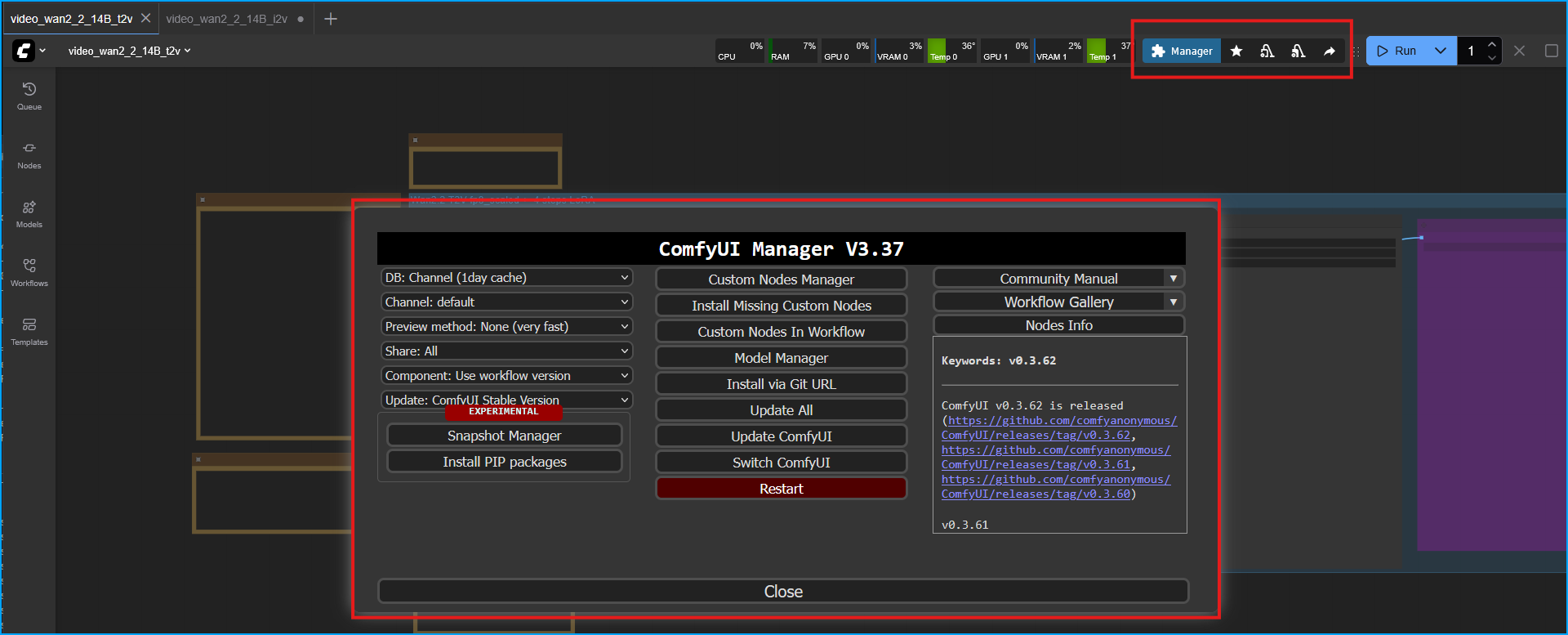
ComfyUI Manager is the "app store" for ComfyUI. It's a custom node that lets you manage everything through the web interface instead of using command line. Main Features:
- Install Custom Nodes - Browse and install extensions/plugins with one click
- Install Models - Download models (checkpoints, LoRAs, ControlNet, etc.) directly to your server from CivitAI and Hugging Face
- Update ComfyUI - Keep ComfyUI up-to-date with one click
- Fix Missing Nodes - Automatically detect and install missing nodes when you load workflows
- Manage Dependencies - Install Python packages needed by custom nodes
Prerequisites
You must have ComfyUI and git installed.
Clone the Repo
Stop ComfyUI if it is running.
Navigate to your custom_nodes directory
text
cd ~/ComfyUI/custom_nodesClone the repo
text
git clone https://github.com/ltdrdata/ComfyUI-Manager comfyui-managerRun ComfyUI
Navigate to ComfyUI folder
text
cd ~/ComfyUIThe dependencies will be installed once you start ComfyUI.
text
python main.py --listen 0.0.0.0