Tutorial
Grafana Cloud
Set up Grafana Cloud with a pdc-agent
This post contains paid links (affiliate) — how that works.
Introduction
Grafana Cloud is a good option if you want to be able to easily access your dashboards from anywhere. It is also beneficial if you do not want to install and manage your own instance. Grafana Cloud is free and offers a lot of features.
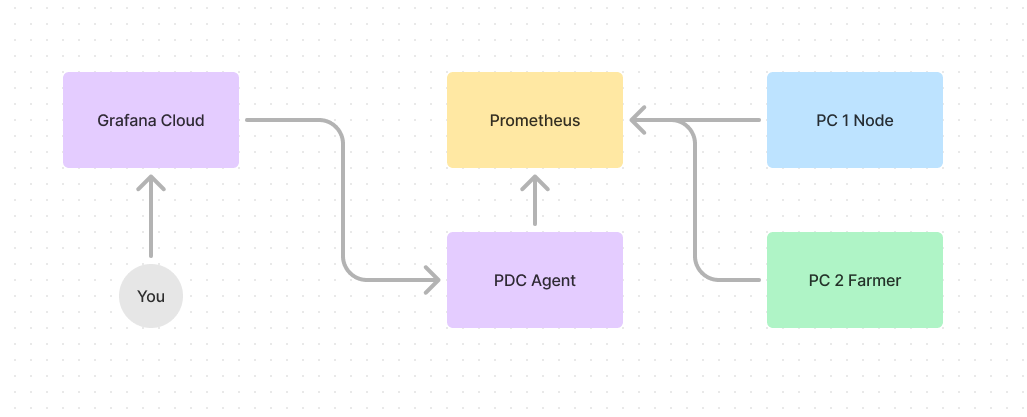
In order to use Grafana Cloud a Private Data Connection (pdc-agent) must be set up. This is not difficult, and can run as a service in Linux or Windows, or as a Docker container. The pdc-agent allows Grafana Cloud to access local data sources such as Prometheus.
Create Grafana Account
Navigate to the Get started with Grafana page and register for an account. Once registered, you will immediately have access to your Grafana Cloud instance.
Connecting to a Private Data Connection
As mentioned previously, a pdc-agent is required in order to connect a local data source such as Prometheus. The pdc-agent can be set up as a service on Ubuntu.