Tutorial
Nvidia Driver Installation
How to install NVIDIA GPU drivers for Ubuntu and Debian — covers disabling Secure Boot, adding the graphics-drivers PPA, installing the driver, and verifying with nvidia-smi.
This post contains paid links (affiliate) — how that works.
Note: Secure Boot must be turned off in your BIOS for the drivers to install successfully. These instructions are for Ubuntu 24.04, if you are running a different version or distro take caution.
Add Nvidia PPA
Ensure your system has the latest packages:
sudo apt update && sudo apt upgrade -yAdd the Nvidia PPA:
sudo add-apt-repository ppa:graphics-drivers/ppaWhen prompted hit ENTER to continue. Pull the latest packages:
sudo apt updateCheck which drivers are available. I usually go with the 'recommended' version:
ubuntu-drivers devicesInstall Drivers
Once you identify the driver you wish to install, use apt to install it:
sudo apt install nvidia-driver-<DRIVER VERSION>Reboot for the changes to take effect:
sudo reboot nowConfirm Installation
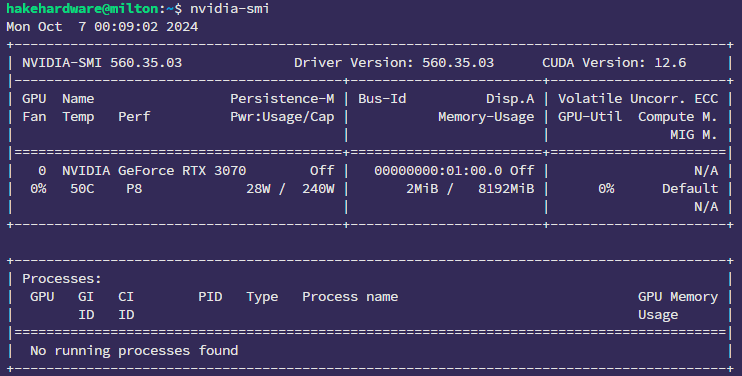
Check nvidia-smi to see if the GPU is detected and the correct driver version is installed:
nvidia-smiI have the nvidia-driver-560 installed at the time of this guide, and my output reflects that